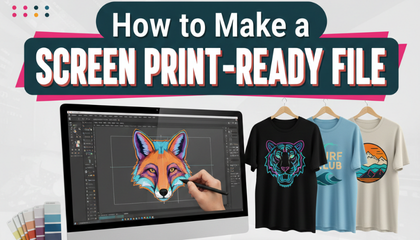
In the world of custom apparel, nothing is more frustrating than having a brilliant design but a poor-quality print. Many business owners and designers think that simply sending a high-resolution JPEG is enough to get a shirt printed. However, the truth is that screen printing requires a very specific type of document known as a screen print-ready file.
If your file isn’t prepared correctly, the print will look muddy, colors will bleed, and the fine details will disappear. In this guide, we will walk you through the professional steps to ensure your artwork is flawless before it hits the mesh screen.
1. The Foundation: Vector Over Raster
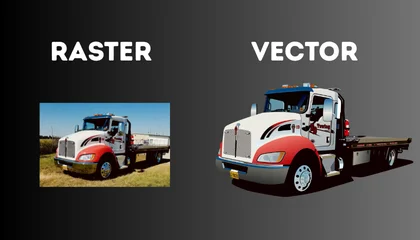
The first and most important rule is that screen printing loves vectors. While you can sometimes use high-resolution raster images (300 DPI or higher), vector art created in Adobe Illustrator or CorelDraw is the gold standard.
Vector files consist of mathematical paths instead of pixels. This means you can scale a small logo to fit a massive hoodie without any loss in quality. If you are starting with a blurry JPEG, your first step must be converting it into a clean vector format. At Sassy Digitizing, we specialize in this manual redraw process to ensure every line is sharp and ready for the screen.
2. Mastering Color Separations
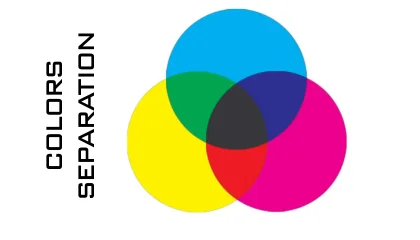
Unlike digital printing where a printer mixes colors on the fly, screen printing requires each color to be printed individually. This means your screen print-ready file must be “separated.”
If your design has three colors (Red, Blue, and Black), you effectively need three different versions of that design, each representing one color layer. Professionals often use “Spot Colors” (Pantone Matching System or PMS) to ensure that the red on the screen is exactly the red the client expects. Avoiding gradients and shadows in basic screen printing is also a smart move, as they require “halftones,” which are much more complex to print.
3. Setting Up Your Artboard and Sizing
One common mistake is sending a file without specifying the actual print size. A screen print-ready file should be set to the exact dimensions you want on the garment.
For example, if you want a standard chest print, set your artboard to 10 or 11 inches wide. Also, ensure your document color mode is set to CMYK or Spot Colors, not RGB. RGB is for digital screens, while CMYK and Pantone are for physical ink.
4. Converting Text to Outlines
Have you ever opened a file only to see a “Missing Font” error? This is a nightmare for printers. To make your file truly print-ready, you must select all your text and convert it to “Outlines” (Create Outlines).
This turns your text into a vector shape. Once converted, the printer doesn’t need to own the font you used; they will see the letters as shapes, ensuring your typography remains exactly as you designed it.
5. Stroke Weight and Minimum Detail
Screen printing ink has a certain thickness. If your lines are too thin (known as hair-lines), the ink will not pass through the screen properly, or the line will disappear during the “burning” of the screen.
As a rule of thumb, keep your stroke weight at least 1pt or thicker. For “negative space” (where the shirt color shows through), make sure the gaps are wide enough so the ink doesn’t bleed together and close the hole.
6. The Sassy Quality Check
Preparing a screen print-ready file can be overwhelming if you aren’t a professional graphic designer. This is why many shops outsource this task to experts. A clean file doesn’t just look better; it saves the printer hours of setup time and reduces the risk of expensive mistakes.
If you have a complex logo and aren’t sure if it’s ready, remember that we offer your first vector conversion for free. It’s the easiest way to ensure your file is 100% production-ready without any guesswork.
About the Author
Keith Blair | Senior Quality Control (HOD) Keith Blair serves as the Head of Department for Quality Control at Sassy Digitizing, bringing 12 years of commercial embroidery experience to the team. His role focuses on the technical mechanics of digitizing, specifically adjusting stitch densities and lengths to suit different fabric types.
A specialist in advanced production methods, Keith oversees the digitizing standards for complex 3D puff, appliqué, and small lettering projects. He ensures that every file is tested for efficiency and run-ability before it reaches the customer, bridging the gap between digital design and physical production.