The “Free” Embroidery Dream: Expectation vs. Reality
Every embroidery enthusiast, whether a hobbyist or a small business owner, has asked the same question: “Can I convert my logo into an embroidery file for free?” The idea of taking a simple JPEG and turning it into a masterpiece without spending a dime is incredibly tempting.
But as the saying goes, “There is no such thing as a free lunch.” In the world of embroidery, a “free” file can often end up being the most expensive mistake you make. In this guide, we’ll explore the free tools available, how they work, and why professional intervention is often the only way to save your machine—and your sanity.
What Does “Converting” Actually Mean?
Many beginners think that converting an image to embroidery is like converting a Word doc to a PDF. It is not.
Graphic Files (JPG/PNG): These are made of pixels (tiny dots of color).
Embroidery Files (DST/PES/EXP): These are made of vectors and mathematical coordinates that tell a needle exactly where to land, how deep to go, and which direction to pull.
To bridge this gap, you need Digitizing. This is the art of assigning stitch types, densities, and underlays to a flat image.
Top 3 Free Tools for Image-to-Embroidery Conversion
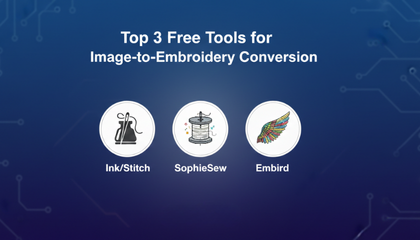
If you are determined to go the free route, here are the most reliable open-source and free tools currently available:
1. Ink/Stitch (The Open-Source Giant)
Ink/Stitch is a powerful plugin for Inkscape (a free alternative to Adobe Illustrator). It is arguably the best free tool because it allows manual control.
The Good: It costs zero dollars and supports most professional formats like .DST and .PES.
The Bad: It is notoriously difficult to learn. You need to understand “path commands” and “nodes.” For a beginner, it can take weeks to produce even a simple star.
2. SophieSew
A dedicated free digitizing program for Windows.
The Good: It allows you to digitize manually from scratch.
The Bad: The software is outdated, lacks modern features, and often crashes when handling complex logos or high-resolution images.
3. Embird (Trial Version)
Embird is premium software, but they offer a basic trial version.
The Good: High-quality algorithms and a professional interface.
The Bad: The free version is extremely limited, often watermarked, or saves files in a way that your machine might not read without a license.
The Hidden Dangers of Free Auto-Digitizers
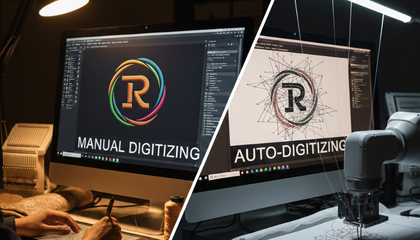
You might find websites that promise “Instant Free Auto-Digitizing.” Proceed with caution. These AI-driven tools often fail to understand the “physics” of fabric. Common issues include:
The Bird-Nest Effect: Too many stitches in one spot can jam your machine.
Lack of Underlay: Without a foundation, your embroidery will shift, leaving gaps (gapping) between colors.
Needle Breaks: If the density is too high, your needle will strike the throat plate, causing expensive damage.
Spending 10 hours trying to fix a “free” file that eventually ruins a $50 hoodie is a common story in the embroidery community.
When to Choose Professional Digitizing?
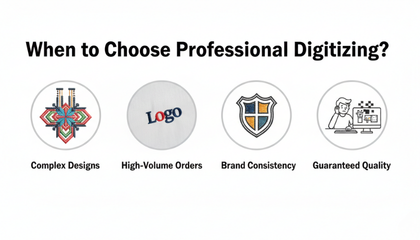
While free tools are great for “messing around,” you should always opt for professional services when:
You’re using expensive garments: Don’t risk a $100 leather jacket on a free file.
The design is complex: Small text, 3D Puff, and intricate gradients cannot be handled by free auto-tools.
You have a deadline: Professional digitizers can deliver a perfect file in hours, while DIY can take days of trial and error.
If you are looking for the best embroidery digitizing company in United State, you need a partner that tests their files. At Sassy Digitizing, we don’t just “convert” images; we engineer them for production.
Why Sassy Digitizing is the Smarter Investment
Why waste time and thread when you can get it right the first time? Sassy Digitizing offers a professional alternative that is nearly as good as free:
The $0 Risk: We offer a Free Trial for your first logo. You get to see the professional difference without opening your wallet.
Expert QC: Every file is overseen by Keith Blair, who ensures the stitch density and pull compensation are perfectly tuned for your specific machine (Tajima, Ricoma, Brother, etc.).
Zero Machine Stress: Our files are optimized for “Smooth Runs,” meaning fewer thread breaks and faster production.
Frequently Asked Questions (FAQs)
Q: Can I convert JPG to PES on my phone for free?
A: There are apps that claim to do this, but they are mostly useless. Real digitizing requires a mouse and a powerful computer to calculate stitch paths.
Q: Why do my free files always have huge “Jump Threads”?
A: Free tools often don’t have “Auto-Trim” logic. A professional digitizer manually places “Tie-offs” and trims to keep the back of your embroidery clean.
Q: Is Ink/Stitch better than professional software like Wilcom?
A: Ink/Stitch is great for hobbyists on a budget, but Wilcom remains the industry leader for commercial-grade speed and precision.
About the Author
Keith Blair | Head of Quality Control (Sassy Digitizing) Keith Blair is a specialist in commercial embroidery with over 12 years of industry experience. Having managed large-scale production houses, Keith knows that a “free” file is often the most expensive part of a job. He now leads the Sassy Digitizing team to ensure every client gets industrial-grade files at affordable prices.