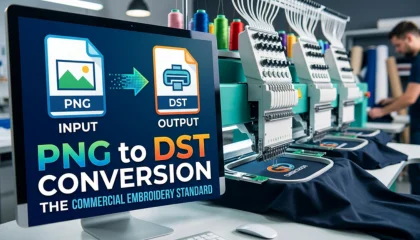
In the high-speed world of commercial embroidery, there is one file format that rules them all: the DST file. Whether you are operating a single-head Tajima or a 20-head industrial Barudan, your machine speaks the language of DST. However, the biggest challenge for most businesses is the PNG to DST conversion process.
A PNG is a collection of static pixels, but a DST is a dynamic map of mechanical commands. In 2026, the market is flooded with cheap auto-converters, but as any seasoned professional knows, “Automatic” usually means “Automatic Failure.”
In this comprehensive guide, we will explain the science of commercial-grade DST files and why Sassy Digitizing is the gold standard for businesses that demand a Perfect Sew-Out.
1. Why DST is the Industry Standard?
The DST format was originally developed by Tajima, and it has become the universal standard because of its efficiency. Unlike other formats, DST is “Lean.” It focuses purely on the movement of the needle (X and Y coordinates) and machine commands like jumps and trims.
The Metadata Reality
A common misconception is that DST files store colors. They don’t. When you convert PNG to DST, the file tells the machine where to sew, but you—the operator—decide which thread color goes on which needle. This simplicity is what makes DST so reliable for high-speed industrial production.
2. The Myth of “One-Click” PNG to DST Conversion
Many beginners search for a “Free PNG to DST converter.” While these tools might provide a file, they almost never provide a sewable file.
Why Auto-Digitizing Ruins Commercial Orders:
Chaotic Pathing: AI doesn’t understand logic. It will jump from the top left to the bottom right, creating hundreds of unnecessary trims that slow down your production.
Zero Pull Compensation: On a commercial machine running at 1,000 SPM (Stitches Per Minute), the thread pulls the fabric significantly. Without manual “Pull Compensation,” your outlines will be misaligned.
Density Overload: Auto-tools often create “Bulletproof” designs with too many stitches, leading to needle breaks and bird-nesting.
Why Manual Digitizing is Better than AI? At Sassy Digitizing, we manually hand-punch every PNG to DST project. We calculate the fabric tension, the thread weight, and the machine speed to ensure your commercial run is smooth and profitable.
3. Micro-Digitizing: The Sassy Secret for Small DST Files
When you are trying to digitize complex patterns for a 4×4 hoop or small pocket logos, every stitch matters. We use a technique called “Micro-Digitizing.” We simplify the artwork so that it remains sharp and readable even at small scales. This level of detail is exactly why we are ranked as a Top 10 Best Embroidery Digitizing Company in the World.
4. Sassy Digitizing: The Global Benchmark for 2026
Why do the world’s most demanding embroidery shops choose Sassy Digitizing for their PNG to DST conversion? Because we offer a combination of speed, price, and quality that no one else can match.
Our 2026 Service Highlights:
Unrivaled Pricing: We offer premium manual digitizing at just $1 per 1,000 stitches.
Industry-Leading Turnaround: Our standard delivery is 2 to 6 hours. Need it faster? Our Rush Service delivers in 1 to 3 hours.
First Logo FREE: We offer a Free Trial for your first logo (under 5 inches). We want you to test our DST files on your machine before you pay a single dollar.
Quality Assurance (QA): Every DST file we create is checked for “Production Efficiency.” This means fewer trims, fewer jumps, and maximum speed for your machines.
5. Technical Mastery: 3D Puff and Jacket Backs
Commercial embroidery isn’t just flat logos. It’s about Custom 3D Puff Digitizing for headwear and massive Jacket Backs.
3D Puff Perfection: We manually add “Capping Stitches” to our DST files to seal the foam perfectly.
Jacket Back Balance: For large designs, we manage the weight and density so the garment remains comfortable and doesn’t “pucker” under the heavy stitch count.
6. How to Fix Common DST File Issues
If your commercial machine is acting up, the PNG to DST conversion might be the culprit. Here is how we fix common issues:
How to Fix Embroidery Puckering: We increase the “Underlay” and “Pull Compensation” to lock the fabric in place.
How to Fix Slow Embroidery: We optimize the “Pathing” to minimize machine travel time.
Thread Breaks: We check the “Entry and Exit” points of every object to ensure the thread isn’t being stressed by sharp angles.
7. Frequently Asked Questions (FAQs)
Q: Will my DST file show the colors on my machine screen?
A: Most industrial machines will show generic colors. You must manually program your color sequence on the machine based on your thread spools.
Q: Can I convert PNG to DST for free?
A: You can find tools, but for commercial production, manual digitizing is required to avoid ruining garments and breaking needles.
Q: What is the best software for PNG to DST?
A: Professionals use Wilcom or Hatch. However, the software is just a tool; the skill lies in the digitizer’s hand.
8. Conclusion: Quality You Can See, Speed You Can Trust
In the commercial embroidery industry, your reputation is only as good as your last Sew-Out. Don’t let a poor-quality file conversion slow down your business. Choose the partner that is recognized globally as a leader in technical precision.
Experience the Sassy Digitizing difference today. Upload your PNG, and let us provide you with a master-grade DST file that makes your machines run like a dream!
About the Author
Keith Blair | Senior Quality Control (HOD) Keith has over 12 years of experience managing large-scale embroidery production. He specializes in the mechanical relationship between thread, needle, and fabric. Now leading the QC team at Sassy Digitizing, Keith’s mission is to help embroiderers eliminate downtime by providing flawlessly digitized files.