“Best Software for Embroidery Digitizing in 2025”
Tools to Create Professional, Production-Ready Embroidery Designs
Embroidery digitizing is the process of converting artwork into a stitch file that machines can read. Choosing the right software is crucial for creating high-quality, precise, and professional embroidery designs.
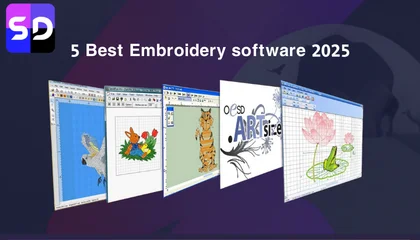
Top Embroidery Digitizing Software
1. Wilcom Embroidery Studio

- Overview: Industry-leading software for professional digitizers.
- Pros: Excellent stitch editing, advanced lettering tools, supports multiple file formats, professional-quality results.
- Best For: Businesses and professional digitizers who want full control over design details
2. Brother PE-Design / BES
- Overview: Popular among Brother machine users.
- Pros: User-friendly, good for small business embroidery, basic digitizing features, and lettering.
- Best For: Small businesses or hobbyists using Brother embroidery machines.
3. Hatch Embroidery Software

- Overview: Affordable software from Wilcom aimed at small businesses.
- Pros: Easy to use, good balance of features and cost, includes auto-digitizing and manual editing.
- Best For: Small to medium-sized businesses looking for professional results without high cost.
4. Embird
- Overview: Modular software with plug-ins for digitizing, editing, and lettering.
- Pros: Cost-effective, flexible, works with many machine formats.
- Best For: Home-based or small businesses needing versatility.
5. TruEmbroidery (Mac)

- Overview: Software designed for Apple users.
- Pros: User-friendly, integrates with Mac, good for lettering and basic digitizing.
- Best For: Mac users or small-scale embroidery.
6. Bernina ArtLink
- Overview: Free software from Bernina for basic digitizing and editing.
- Pros: Free, easy to use for basic designs.
- Best For: Beginners or hobbyists.
What to Consider When Choosing Embroidery Digitizing Software
- Skill Level – Beginners may prefer Hatch or Embird; professionals may prefer Wilcom.
- Machine Compatibility – Ensure the software supports your embroidery machine formats.
- Features Needed – Look for tools like auto-digitizing, lettering, stitch editing, underlay options, and 3D puff support.
- Budget – Professional software like Wilcom is expensive, while Hatch and Embird offer cost-effective alternatives.
- Support & Updates – Reliable software offers regular updates and technical support.
Final Advice
The best embroidery digitizing software depends on your experience, budget, and business needs. Professional designers and businesses often choose Wilcom or Hatch, while beginners may start with Embird or free options like Bernina ArtLink.
Investing in the right software ensures precise, clean, and production-ready embroidery designs, saving time and reducing errors.
Keith Blair | Senior Quality Control (HOD) Keith Blair serves as the Head of Department for Quality Control at Sassy Digitizing, bringing 12 years of commercial embroidery experience to the team. His role focuses on the technical mechanics of digitizing specifically adjusting stitch densities and lengths to suit different fabric types. A specialist in advanced production methods, Keith oversees the digitizing standards for complex 3D puff, appliqué, and small lettering projects. He ensures that every file is tested for efficiency and run-ability before it reaches the customer, bridging the gap between digital design and physical production.